Components, Instances & Deployments
This page covers the lifecycle of infrastructure from blueprint to deployed resources.
Components
A component (previously called a "manifest") is a bundle that has been added to a project's blueprint with a specific use case.
For example: You may add the aws-elasticache-redis bundle to a project for multiple use cases — one component for user-sessions and a second component for caching.
In the example below, an SNS Topic is added to the project for tracking created orders in an e-commerce application.
Instances
An instance (previously called a "package") is a component as it exists in a specific environment (e.g. production, staging, US West, etc).
An instance is the intersection of an environment and a component.
In Massdriver, naming conventions for cloud resources are managed for you. The instance's identifier can be seen by clicking on the component and selecting the Details tab. The ID will be the naming prefix for all resources created when this instance is deployed.
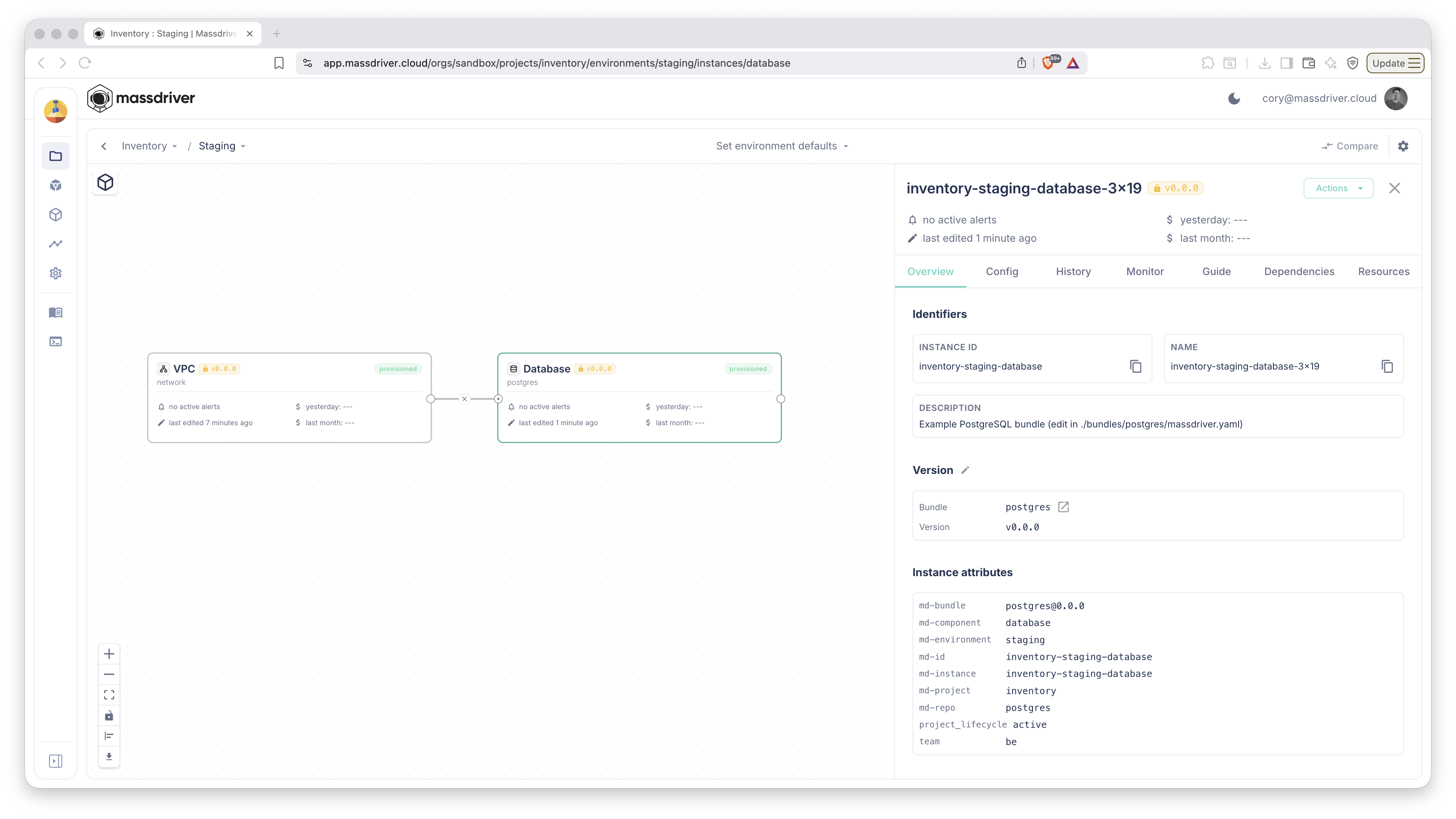
Instance Alarms
Instances surface alarms in the Monitor tab of the instance pane. Click any component on the canvas, open Monitor, and Massdriver lists the alarms wired up for that instance. See Monitoring & Alarms for how to declare them.
Instance Resources
Every cloud resource an instance creates is tracked on the instance itself. Click an instance, open the Resources tab, and Massdriver shows the resource entries the provisioner produced — along with the ABAC tags attached to each. Drill into a single resource to see its individual properties (hostname, port, username, etc.), copy any value to your clipboard, or pull the URL straight from the panel.
Deployments
Deployments are a record of provisioning or decommissioning infrastructure or applications in Massdriver.
Massdriver keeps a record of every deployment, whether provisioning or decommissioning infrastructure or applications.
Deployment Comparison
From an instance's History tab, pick any two deployments and Massdriver shows the parameter and version diff side-by-side. Toggle Hide identical to focus on what changed, search for a specific path, and pull receipts for an auditor or a debugging session in one view.
The Lifecycle
Bundle → Component → Instance → Deployment
   ↓         ↓          ↓           ↓
Template  Blueprint  Env-bound    Record
- Bundle: A reusable infrastructure template (e.g., "PostgreSQL Database")
- Component: A bundle added to a project for a specific purpose (e.g., "User Database")
- Instance: A component as it exists in a specific environment (e.g., "User Database in Production")
- Deployment: A record of provisioning or decommissioning that instance
Related Documentation
- Bundles - Understanding bundle structure
- Projects & Environments - Organizing your infrastructure
- Resources & Resource Types - How instances connect